
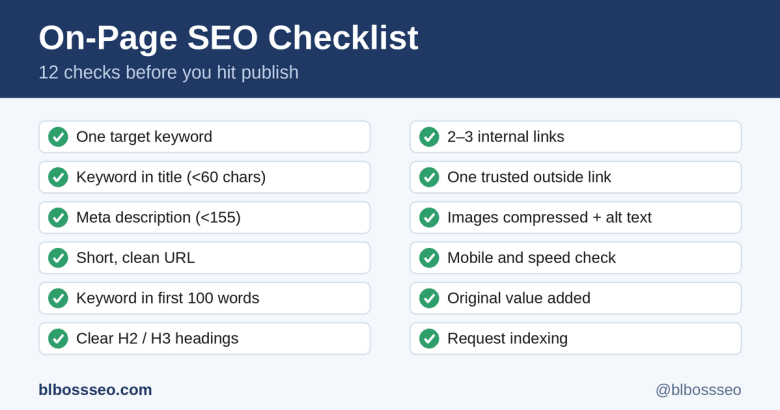
You can write a great article and still lose rankings because of small, fixable mistakes: a vague title, a missing description, an image with no alt text. An on-page SEO checklist stops that from happening.
Use the 12 checks below every time you publish. It takes about 10 minutes and works for any blog post or page.
The 12-point on-page SEO checklist
1. Pick one clear target keyword
Choose one main phrase the post should rank for, such as "backlink audit." Make sure the post truly answers what someone searching that phrase wants to know.
2. Put the keyword in the title
Keep the title under about 60 characters so it is not cut off in search results. Place the keyword near the start and make the title something a person would want to click.
3. Write a meta description
Aim for under 155 characters. Summarise the benefit of reading, include the keyword naturally, and finish with a reason to click. It does not directly boost rankings, but it affects how many people click.
4. Use a short, clean URL
Use a readable slug such as /on-page-seo-checklist. Avoid dates, extra words, and long strings of numbers.
5. Use the keyword in the first 100 words
Mention the topic early so readers and search engines immediately know what the page covers. Write naturally and do not repeat it unnaturally.
6. Structure the post with headings
Use one H1 (the title) and H2 or H3 headings for sections. Where it fits, write headings as questions and answer each in two or three sentences directly below. This helps with featured snippets and AI-generated answers.
7. Add internal links
Link to 2 or 3 related posts on your site, and link to the new post from older ones. For example, this checklist pairs well with our guides on how to do a backlink audit and guest posts vs. profile backlinks.
8. Link out to a trusted source
When you mention a fact or tool, link to a reliable source. It helps readers and shows you did your research.
9. Optimise images
Add at least one useful image, compress it so it loads fast, and write alt text that describes what the image shows. Name the file clearly, for example on-page-seo-checklist.png.
10. Check mobile and speed
Most visitors read on phones. Open the page on your phone and make sure the text is readable, buttons are easy to tap, and the page loads quickly. Test with Google's free PageSpeed Insights tool if you are unsure.
11. Add original value
Share something a generic article cannot: your own screenshots, results, examples, or opinion. Pages that simply repeat what already ranks have little reason to rank themselves.
12. Publish, then request indexing
Once live, paste the URL into Google Search Console's URL Inspection tool and request indexing. Then share the post on social media to give it first visitors.
Quick copy-and-paste checklist
- One target keyword chosen
- Keyword in the title (under 60 characters)
- Meta description written (under 155 characters)
- Short, clean URL
- Keyword in the first 100 words
- Clear H2 and H3 headings
- 2 to 3 internal links added
- One trusted outside link
- Images compressed with alt text
- Checked on mobile and for speed
- Original value included
- Indexing requested in Search Console
Frequently asked questions
How long does an on-page SEO check take? About 10 minutes once it becomes a habit.
How many times should I use my keyword? Use it where it reads naturally: title, early in the text, and in one heading. Do not force it.
Is on-page SEO enough to rank? It is the foundation, but you also need helpful content and relevant links from other sites.
Final thoughts
On-page SEO is the easiest part of ranking to control. Run through these 12 checks before every publish, and you will avoid the small mistakes that quietly hold good content back.
Looking for help growing your site? Explore the services at blbossseo.com.
Wednesday's second task: refresh one old post
The plan also calls for updating an older post with fresh information. Suggested update today:
- Open Monday's backlink audit post.
- Add one sentence near the end linking to Tuesday's guest posts vs. profile backlinks post.
- Add a link to this checklist in the "Plan better links" step.
- Update the date in the post if your blog shows one.
- Resubmit the URL in Search Console after saving.